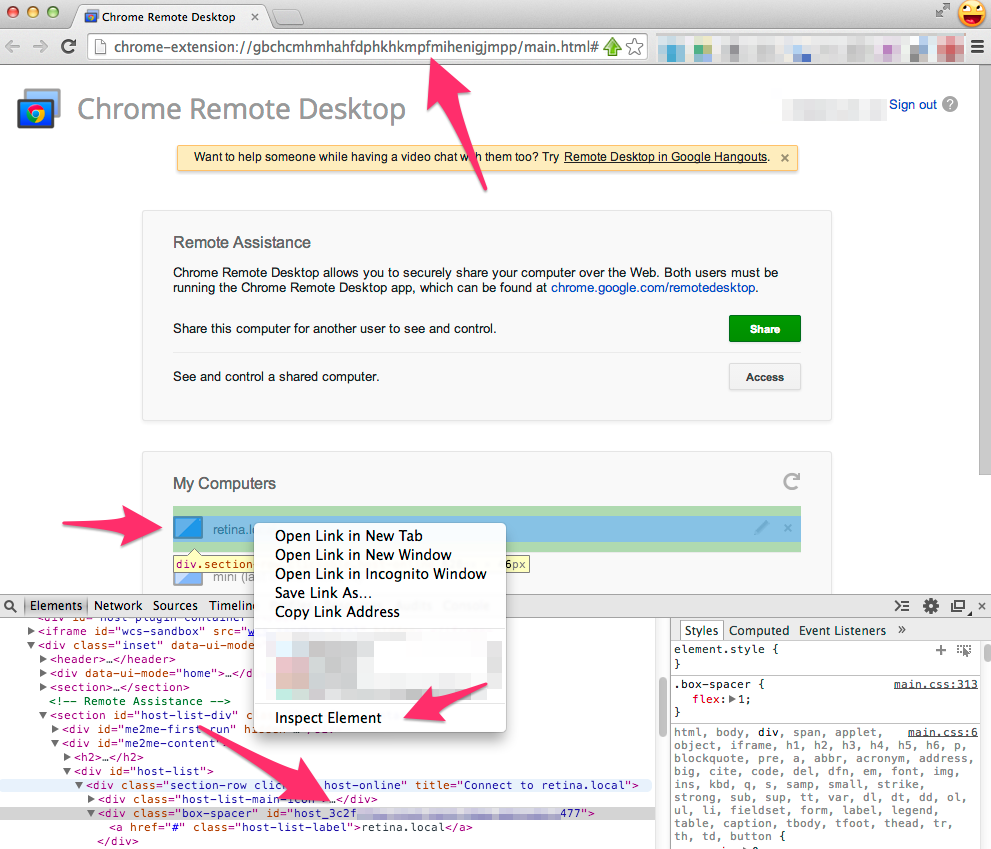
2. Look down at the bottom and copy the id of the element you selected (it might be in the parent element). It starts with host_
3. Click the * in the URL bar to save the current url as a bookmark. then click edit.
4. add ?mode=me2me&hostId= and then the id you copied (without the host_ part)
You're all done!
The url should look something like this...
chrome-extension://gbchcblahblahblahjmpp/main.html?mode=me2me&hostId=3c2fblah-blah-blah3477
While making this I noticed that the chrome url bar will change the inter letter spacing (is it kerning if it's on every letter?) while resizing a window to avoid abbreviating the url. Neat!